How to Create an Engineering Dashboard from Scratch Using Keypup

Learn how to create a customized engineering dashboard from scratch using Keypup's platform. Highlight the metrics that matter most to your team and stakeholders, and drive your team toward success.

Celine Nabais
Celine Nabais LinkedIn
• 2 min read
How to Create an Engineering Dashboard from Scratch Using Keypup

As a tech leader, you understand the importance of having a clear and effective software data story to communicate with your team and stakeholders. However, not all metrics are relevant for every audience, and you need to be able to adapt your metrics and reports to fit your specific needs. That's where Keypup's engineering dashboards feature comes in handy. With this powerful tool, you can create a customized dashboard that meets the unique needs of your team and stakeholders from scratch or from a template.

Here are the steps to create an engineering dashboard from scratch using Keypup:

ā€

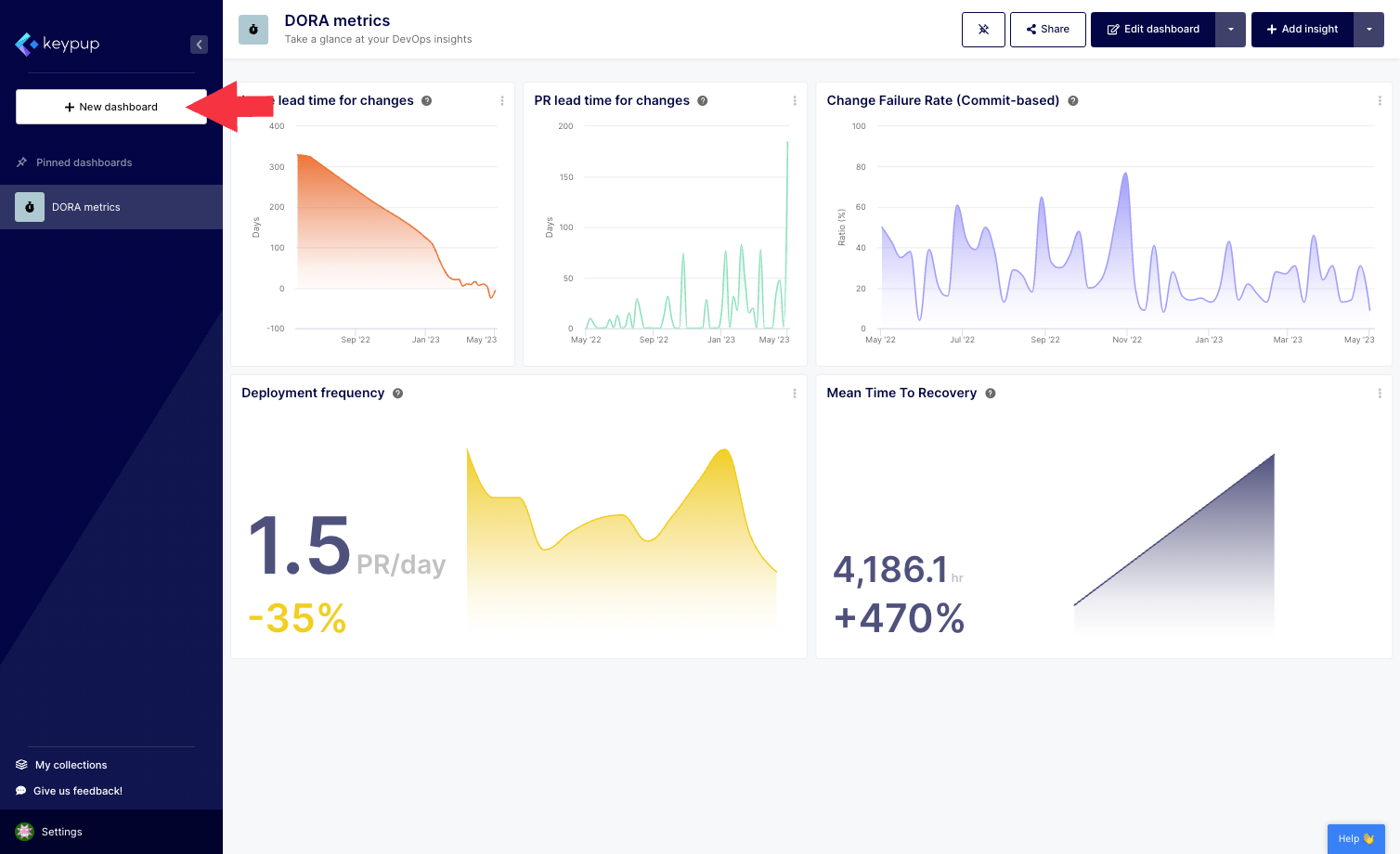
1. First, click on the "New dashboard" button located at the top of the left navigation panel.
Image

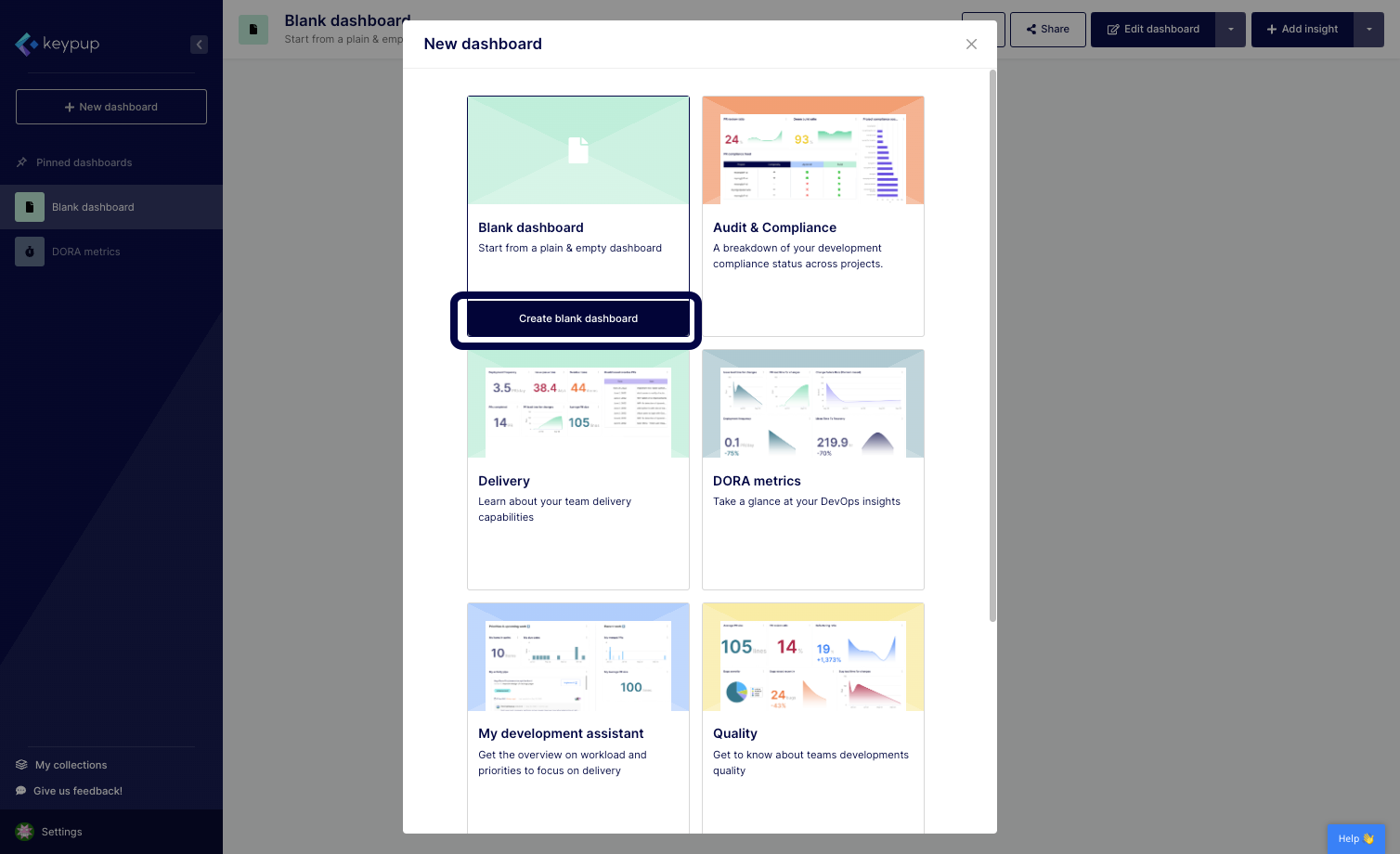
2. Select the blank dashboard option by clicking on the "Create blank dashboard" button below your choice.
Image

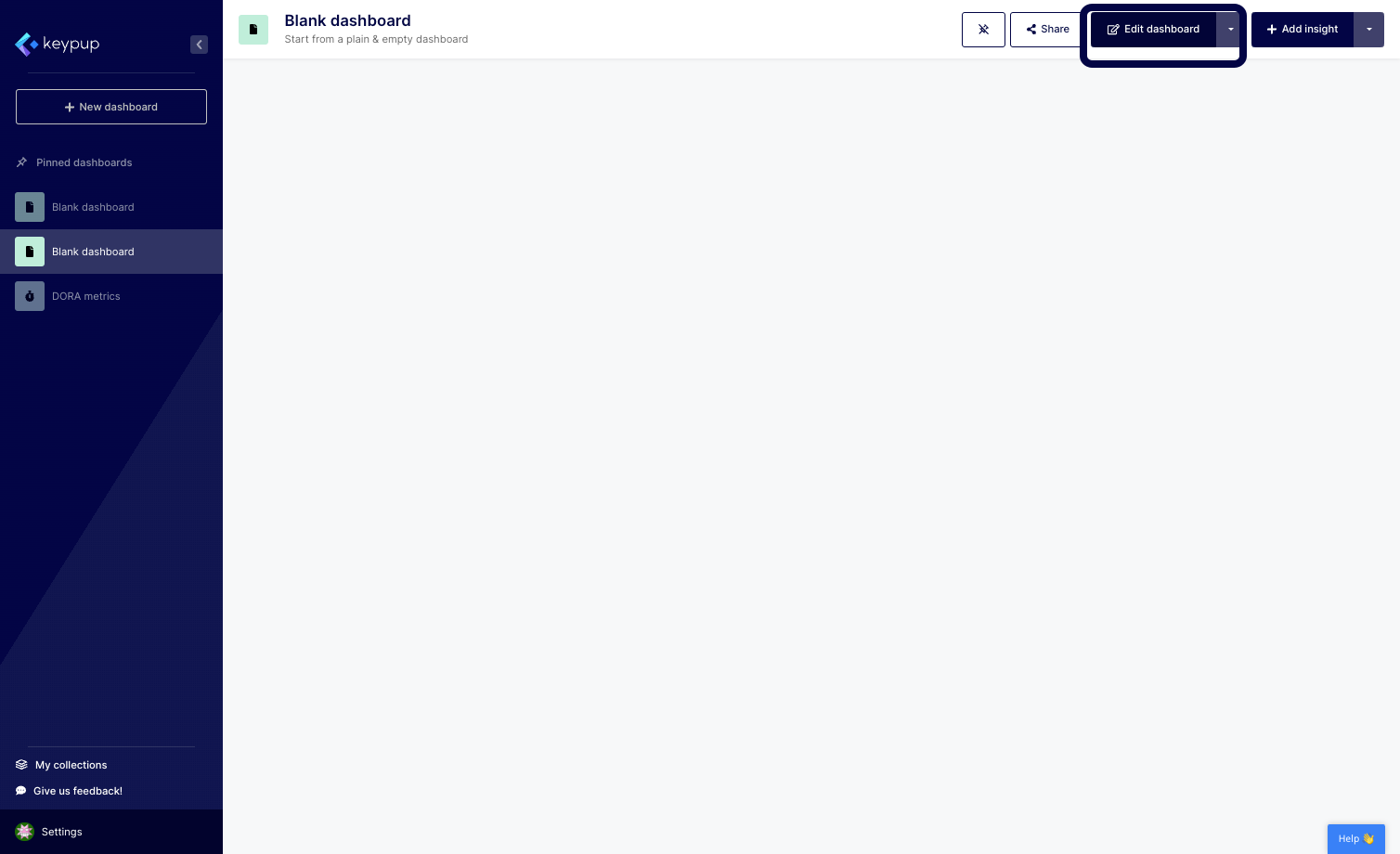
3. Your blank dashboard is populated. Click on the "Edit dashboard" button located at the top right of your screen.
Image

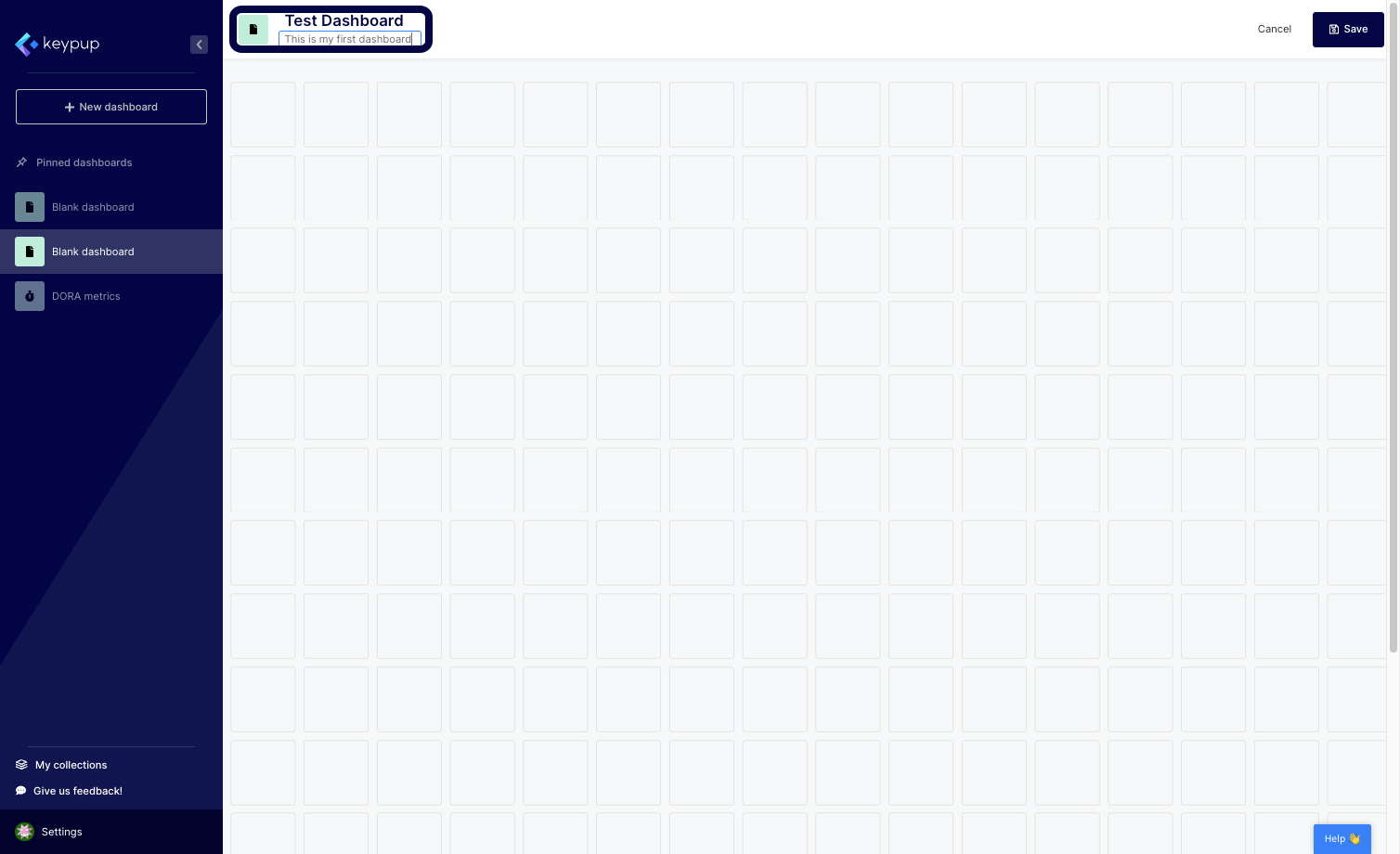
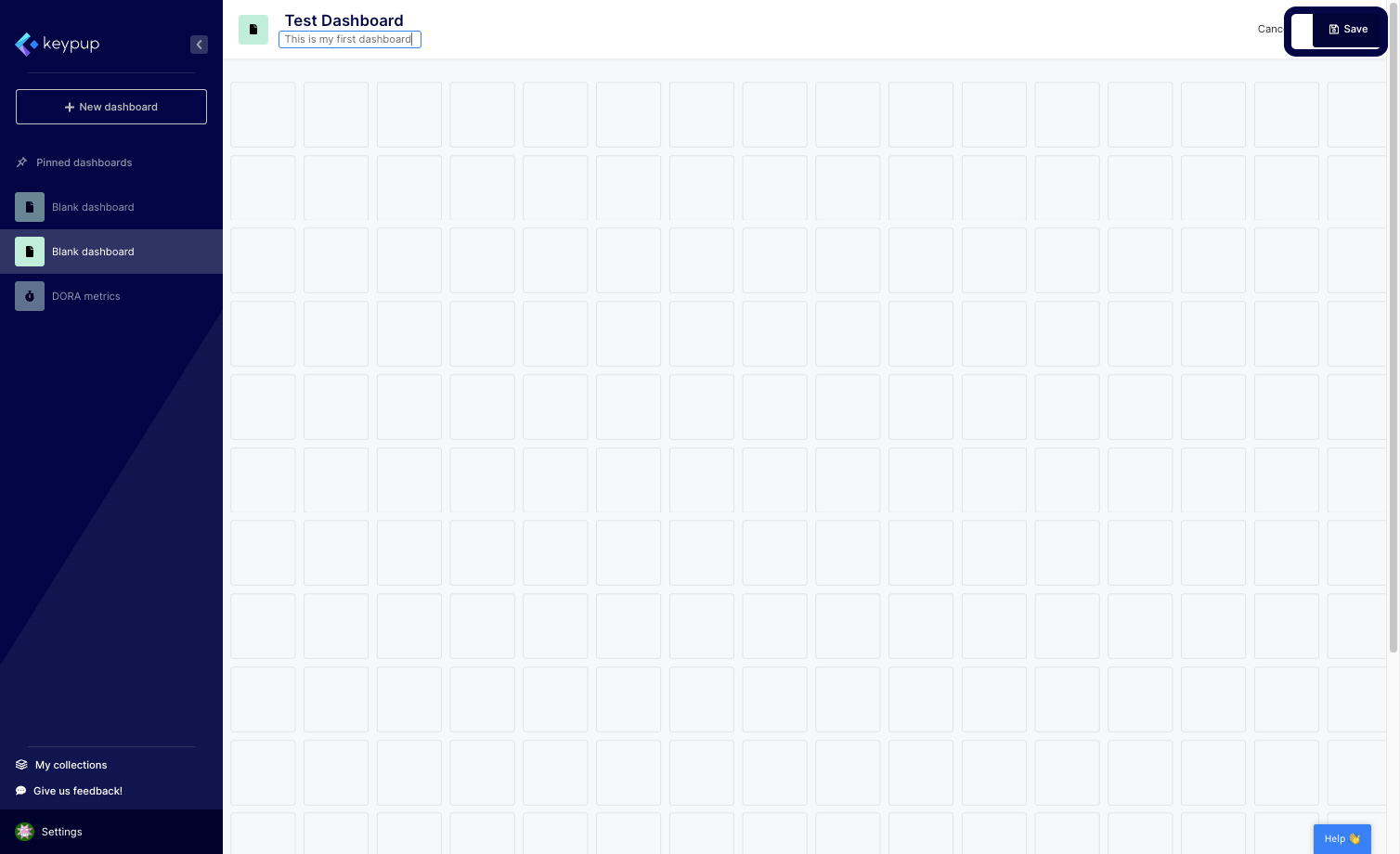
4. From here, you can edit the dashboard title, description, and image.
Image

5. Once done, click on the "Save" button located at the top right of your screen.
Image

Now, your engineering dashboard is ready to be fully customized using metrics, reports, text widgets, and more.

With Keypup's engineering dashboard feature, you have the flexibility to create a dashboard that fits your unique needs. Whether you need to provide clear goals or OKRs to your team members or communicate during your board meetings, you can create a customized dashboard that highlights the metrics that matter most to your audience.

In conclusion, creating an engineering dashboard from scratch using Keypup is a simple and powerful way to communicate your software data story with your team and stakeholders. By customizing your dashboard to fit your unique needs, you can ensure that you are highlighting the metrics that matter most and driving your team towards success. Try Keypup's platform today to see how you can create a customized engineering dashboard that fits your unique needs.


Ready to Transform Your Analytics?

Join teams already using AI to make data-driven decisions faster than ever.

Most Recent Articles

Achieving ISO27001 & SOC2 Type II: Continuous SDLC Audit with Keypup MCP

Achieving ISO27001 & SOC2 Type II: Continuous SDLC Audit with Keypup MCP

Learn how to achieve and maintain ISO27001 and SOC2 Type II certifications for your software development organization. Discover the specific SDLC requirements, audit processes, and how Keypup's MCP Server provides continuous compliance monitoring, automated evidence collection, and real-time audit trails—saving months of preparation time and reducing certification costs by up to 60%.

Stephane Ibos
Measuring AI Impact on Software Development: How to Track ROI and Efficiency with Data-Driven Insights

Measuring AI Impact on Software Development: How to Track ROI and Efficiency with Data-Driven Insights

AI coding assistants promise productivity gains, but are they delivering? Learn how to measure the real impact of AI tools on your SDLC—from code quality to cycle time to developer satisfaction. Discover which metrics matter for ROI analysis and how Keypup's MCP Server correlates AI adoption with engineering outcomes and financial performance.

Thomas Williams
Technical Debt Isn't Just Code: Measuring the Hidden Costs in Your SDLC

Technical Debt Isn't Just Code: Measuring the Hidden Costs in Your SDLC

Discover how technical debt extends far beyond messy code into your entire software development lifecycle. Learn to identify, measure, and quantify process debt, review debt, testing debt, and documentation debt using Keypup's MCP Server for AI-powered SDLC analysis and cost calculation.

Arnaud Lachaume